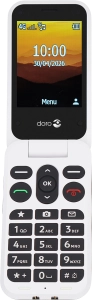
Doro Leva L30

Doro Leva L30

Block phone number on your Doro Leva L30 Proprietary OS

Read help info

If you don't want to receive calls or messages from certain phone numbers, you can block them. If you receive a call from a blocked phone number, the caller will hear a busy signal.

Press the OK key.
Step 1 of 11

1. Find "Blacklist"

Press the OK key.

Select Settings.
Step 2 of 11

1. Find "Blacklist"

Select Settings.

Select Security.
Step 3 of 11

1. Find "Blacklist"

Select Security.

Select Blacklist.
Step 4 of 11

1. Find "Blacklist"

Select Blacklist.

Select Blacklist.
Step 5 of 11

1. Find "Blacklist"

Select Blacklist.

Press the Left selection key.
Step 6 of 11

2. Block phone number

Press the Left selection key.

Select New.
Step 7 of 11

2. Block phone number

Select New.

Highlight Name and key in the required name.
Step 8 of 11

2. Block phone number

Highlight Name and key in the required name.

Highlight Number and key in the required phone number.
Step 9 of 11

2. Block phone number

Highlight Number and key in the required phone number.

Press the Left selection key.
Step 10 of 11

2. Block phone number

Press the Left selection key.

Press Disconnect to return to the home screen.
Step 11 of 11

3. Return to the home screen

Press Disconnect to return to the home screen.

1. Find "Blacklist"

Press the OK key.
Select Settings.
Select Security.
Select Blacklist.
Select Blacklist.

2. Block phone number

Press the Left selection key.
Select New.
Highlight Name and key in the required name.
Highlight Number and key in the required phone number.
Press the Left selection key.

3. Return to the home screen

Press Disconnect to return to the home screen.

Get information on...

Or choose...

Another device