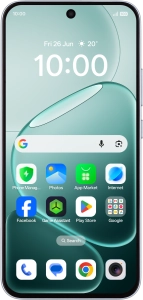
OPPO A6 Pro 5G
Android 16
1. Find "Do Not Disturb"
Slide your finger downwards starting from the top right side of the screen.

Press the settings icon.

Press Sound & vibration.

Press Do Not Disturb.

2. Turn Do Not Disturb on or off
Press the indicator next to "Do Not Disturb" to turn the function on or off.

3. Turn silent mode on or off during media playback
Press the indicator next to "Mute media when Do Not Disturb is enabled" to turn the function on or off.

4. Select settings for automatic activation of Do Not Disturb
Press Schedules.

Press the add icon and follow the instructions on the screen to select settings for automatic activation of Do Not Disturb.

Press arrow left.

5. Select contacts
Press Calls and messages and follow the instructions on the screen to select which contacts you would like to receive calls and notifications from when Do Not Disturb is turned on.

6. Select apps
Press Apps and follow the instructions on the screen to select which apps you would like to receive notifications from when Do Not Disturb is turned on.

7. Turn Repeated Calls on or off
Press the indicator next to "Ring for repeated calls" to turn the function on or off.

8. Return to the home screen
Slide your finger upwards starting from the bottom of the screen to return to the home screen.


