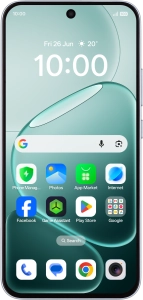
OPPO A6 Pro 5G

OPPO A6 Pro 5G

Android 16

Block phone number on your OPPO A6 Pro 5G Android 16

Read help info

If you don't want to receive calls or messages from certain phone numbers, you can block them. If you receive a call from a blocked phone number, the caller will hear a busy signal.

Press the call icon.
Step 1 of 6

1. Find "Block or report"

Press the call icon.

Press and hold the required number.
Step 2 of 6

1. Find "Block or report"

Press and hold the required number.

Press Block or report.
Step 3 of 6

1. Find "Block or report"

Press Block or report.

To report the number as spam, press the field next to
Step 4 of 6

2. Block phone number

To report the number as spam, press the field next to "Report call as spam".

Press Block.
Step 5 of 6

2. Block phone number

Press Block.

Slide your finger upwards starting from the bottom of the screen to return to the home screen.
Step 6 of 6

3. Return to the home screen

Slide your finger upwards starting from the bottom of the screen to return to the home screen.

1. Find "Block or report"

Press the call icon.
Press and hold the required number.
Press Block or report.

2. Block phone number

To report the number as spam, press the field next to "Report call as spam".
Press Block.

3. Return to the home screen

Slide your finger upwards starting from the bottom of the screen to return to the home screen.

Get information on...

Or choose...

Another device