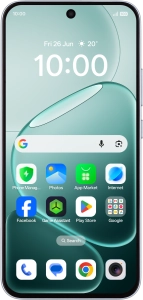
OPPO A6 Pro 5G

OPPO A6 Pro 5G

Android 16

Select network mode on your OPPO A6 Pro 5G Android 16

Read help info

There may be different network modes available depending on where you are. The network mode influences the data speeds your phone can achieve.

Slide your finger downwards starting from the top right side of the screen.
Step 1 of 7

1. Find "Preferred network type"

Slide your finger downwards starting from the top right side of the screen.

Press the settings icon.
Step 2 of 7

1. Find "Preferred network type"

Press the settings icon.

Press Mobile network.
Step 3 of 7

1. Find "Preferred network type"

Press Mobile network.

Press the name of the SIM.
Step 4 of 7

1. Find "Preferred network type"

Press the name of the SIM.

Press Preferred network type.
Step 5 of 7

1. Find "Preferred network type"

Press Preferred network type.

Press the required network mode.
Step 6 of 7

2. Select network mode

Press the required network mode.

There may be different network modes available depending on where you are. If you set your phone to the fastest network mode, it will always find the network with the highest data speed and best signal.
Slide your finger upwards starting from the bottom of the screen to return to the home screen.
Step 7 of 7

3. Return to the home screen

Slide your finger upwards starting from the bottom of the screen to return to the home screen.

1. Find "Preferred network type"

Slide your finger downwards starting from the top right side of the screen.
Press the settings icon.
Press Mobile network.
Press the name of the SIM.
Press Preferred network type.

2. Select network mode

Press the required network mode.
There may be different network modes available depending on where you are. If you set your phone to the fastest network mode, it will always find the network with the highest data speed and best signal.

3. Return to the home screen

Slide your finger upwards starting from the bottom of the screen to return to the home screen.

Get information on...

Or choose...

Another device