Doro Leva L30

Doro Leva L30

Restore factory default settings on your Doro Leva L30 Proprietary OS

Read help info

If your phone gets slow or doesn't work as it usually does, it may help to restore the factory default settings. All settings and configurations you've made on your phone are deleted.

Press the OK key.
Step 1 of 6

1. Find "Reset all"

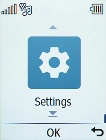
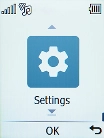
Press the OK key.
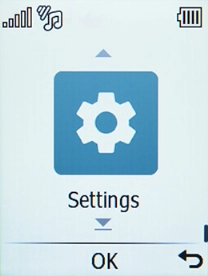
Select Settings.
Step 2 of 6

1. Find "Reset all"

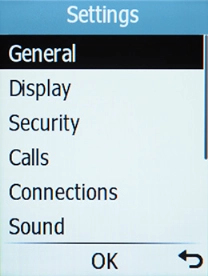
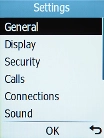
Select Settings.

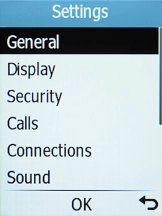
Select General.
Step 3 of 6

1. Find "Reset all"

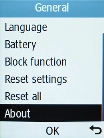
Select General.

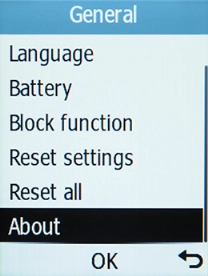
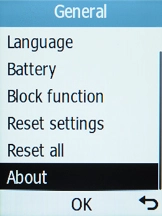
Select Reset all.
Step 4 of 6

1. Find "Reset all"

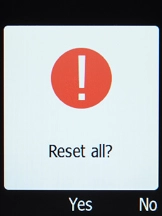
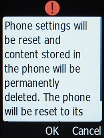
Select Reset all.

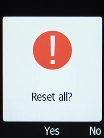
Press the OK key.
Step 5 of 6

2. Restore factory default settings

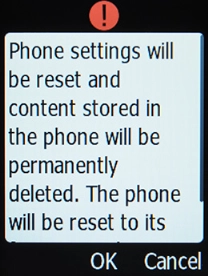
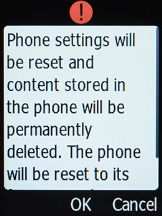
Press the OK key.

Press the OK key. Wait a moment while the factory default settings are restored. Follow the instructions on the screen to set up your phone and prepare it for use.
Step 6 of 6

2. Restore factory default settings

Press the OK key. Wait a moment while the factory default settings are restored. Follow the instructions on the screen to set up your phone and prepare it for use.

1. Find "Reset all"

Press the OK key.
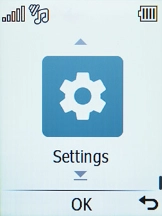
Select Settings.
Select General.
Select Reset all.

2. Restore factory default settings

Press the OK key.
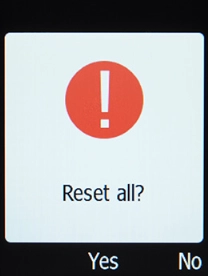
Press the OK key. Wait a moment while the factory default settings are restored. Follow the instructions on the screen to set up your phone and prepare it for use.

Get information on...

Or choose...

Another device