Doro Leva L30

Doro Leva L30

Set date and time on your Doro Leva L30 Proprietary OS

Read help info

It's important that the date and time are correct as some phone functions won't work.

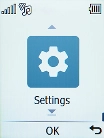
Press the OK key.
Step 1 of 7

1. Find "Automatic date & time"

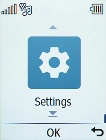
Press the OK key.
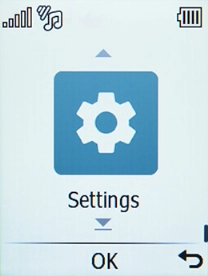
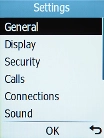
Select Settings.
Step 2 of 7

1. Find "Automatic date & time"

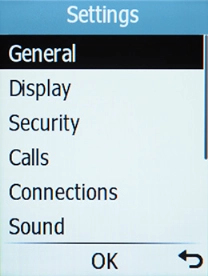
Select Settings.

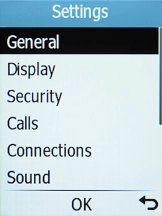
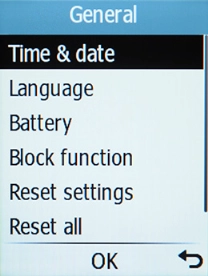
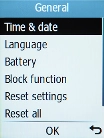
Select General.
Step 3 of 7

1. Find "Automatic date & time"

Select General.

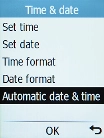
Select Time & date.
Step 4 of 7

1. Find "Automatic date & time"

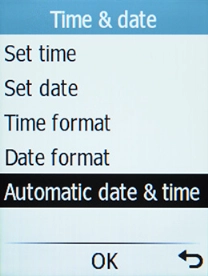
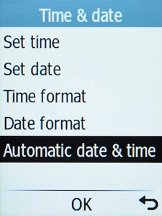
Select Time & date.

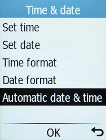
Select Automatic date & time.
Step 5 of 7

1. Find "Automatic date & time"

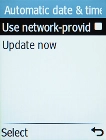
Select Automatic date & time.

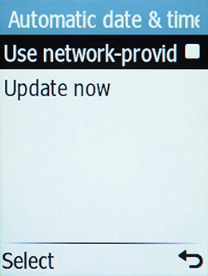
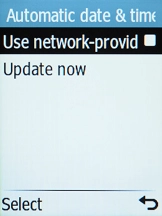
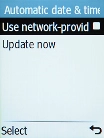
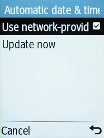
Select Use network-provided time to turn on the function.
Step 6 of 7

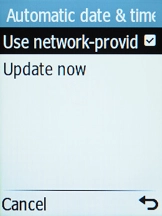
2. Turn on automatic date and time update

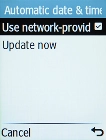
Select Use network-provided time to turn on the function.

Press Disconnect to return to the home screen.
Step 7 of 7

3. Return to the home screen

Press Disconnect to return to the home screen.

1. Find "Automatic date & time"

Press the OK key.
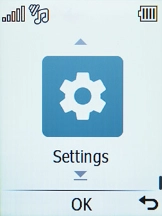
Select Settings.
Select General.
Select Time & date.
Select Automatic date & time.

2. Turn on automatic date and time update

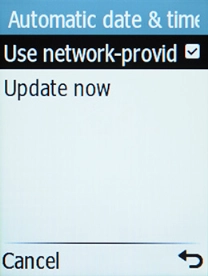
Select Use network-provided time to turn on the function.
3. Return to the home screen

Press Disconnect to return to the home screen.

Get information on...

Or choose...

Another device