Doro Leva L30

Doro Leva L30

Turn use of PIN on your Doro Leva L30 Proprietary OS on or off

Read help info

The PIN protects your SIM from unauthorised use if your phone should get stolen. If use of PIN is turned on, it needs to be keyed in when you turn on your phone.

Press the OK key.
Step 1 of 7

1. Find "PIN"

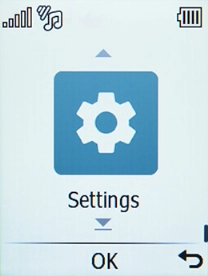
Press the OK key.

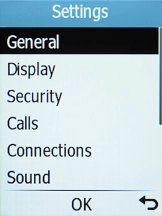
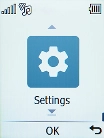
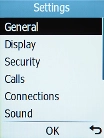
Select Settings.
Step 2 of 7

1. Find "PIN"

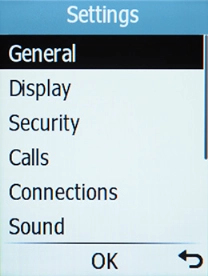
Select Settings.

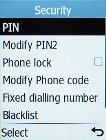
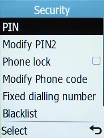
Select Security.
Step 3 of 7

1. Find "PIN"

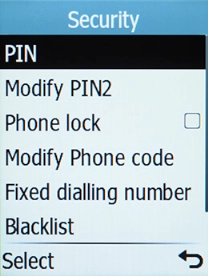
Select Security.

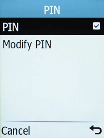
Select PIN.
Step 4 of 7

1. Find "PIN"

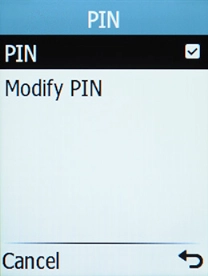
Select PIN.

Select PIN.
Step 5 of 7

1. Find "PIN"

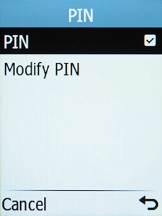
Select PIN.

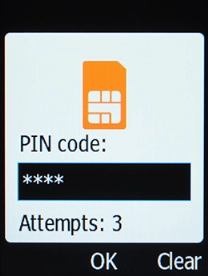
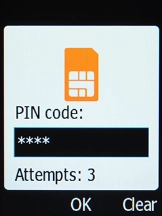
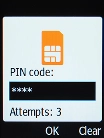
Key in your PIN and press the OK key.
Step 6 of 7

2. Turn use of PIN on or off

Key in your PIN and press the OK key.

If an incorrect PIN is entered three times in a row, your SIM will be blocked. To unblock your SIM, you'll need to key in your PUK. You can get the PUK by calling customer services on 191 from a Vodafone mobile phone. If you're using a land line, you need to dial 03333 040 191. Please note: If you key in the wrong PUK ten times in a row, your SIM will be blocked permanently. In this case, you need a new SIM from Vodafone.
Press Disconnect to return to the home screen.
Step 7 of 7

3. Return to the home screen

Press Disconnect to return to the home screen.

1. Find "PIN"

Press the OK key.
Select Settings.
Select Security.
Select PIN.
Select PIN.

2. Turn use of PIN on or off

Key in your PIN and press the OK key.
If an incorrect PIN is entered three times in a row, your SIM will be blocked. To unblock your SIM, you'll need to key in your PUK. You can get the PUK by calling customer services on 191 from a Vodafone mobile phone. If you're using a land line, you need to dial 03333 040 191. Please note: If you key in the wrong PUK ten times in a row, your SIM will be blocked permanently. In this case, you need a new SIM from Vodafone.

3. Return to the home screen

Press Disconnect to return to the home screen.

Get information on...

Or choose...

Another device