Doro Leva L30

Doro Leva L30

Turn fixed dialling on your Doro Leva L30 Proprietary OS on or off

Read help info

When fixed dialling is turned on, you can only call selected numbers and do emergency calls. Incoming calls aren't affected.

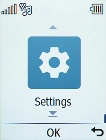
Press the OK key.
Step 1 of 7

1. Find "Fixed dialling number"

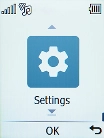
Press the OK key.
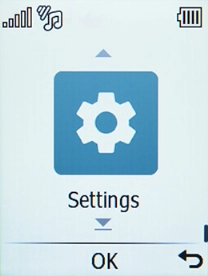
Select Settings.
Step 2 of 7

1. Find "Fixed dialling number"

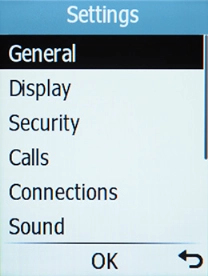
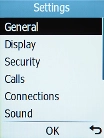
Select Settings.

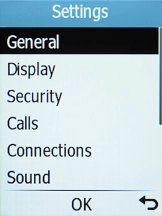
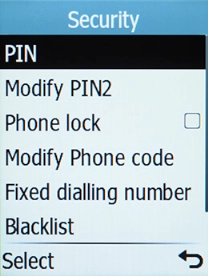
Select Security.
Step 3 of 7

1. Find "Fixed dialling number"

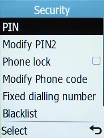
Select Security.

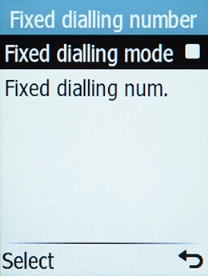
Select Fixed dialling number.
Step 4 of 7

1. Find "Fixed dialling number"

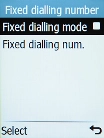
Select Fixed dialling number.

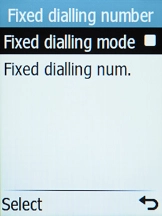
Select Fixed dialling mode.
Step 5 of 7

2. Turn fixed dialling on or off

Select Fixed dialling mode.

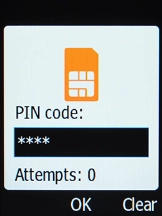
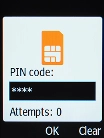
Key in the PIN2 and press the OK key. The default PIN2 is 1111.
1111
Step 6 of 7

2. Turn fixed dialling on or off

Key in the PIN2 and press the OK key. The default PIN2 is 1111.

Press Disconnect to return to the home screen.
Step 7 of 7

3. Return to the home screen

Press Disconnect to return to the home screen.

1. Find "Fixed dialling number"

Press the OK key.
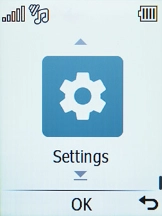
Select Settings.
Select Security.
Select Fixed dialling number.

2. Turn fixed dialling on or off

Select Fixed dialling mode.
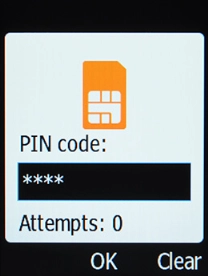
Key in the PIN2 and press the OK key. The default PIN2 is 1111.
1111

3. Return to the home screen

Press Disconnect to return to the home screen.

Get information on...

Or choose...

Another device