Doro Leva L30

Doro Leva L30

I can't receive voice messages on my Doro Leva L30 Proprietary OS

Cause 2 of 3: Incoming calls aren't diverted to your voicemail

To receive voice messages, you need to divert calls you can't answer to your voicemail.

Solution: Divert calls to your voicemail.

Step 1 of 10

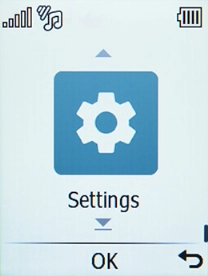
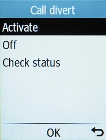
Find "Activate"

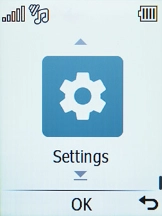
Press the OK key.
Step 2 of 10

Find "Activate"

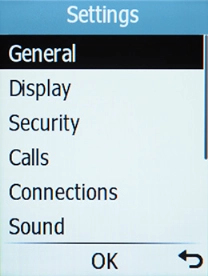
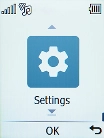
Select Settings.

Step 3 of 10

Find "Activate"

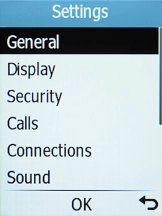
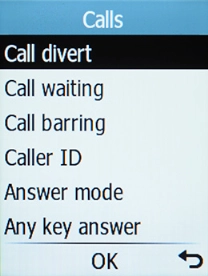
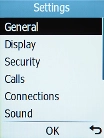
Select Calls.

Step 4 of 10

Find "Activate"

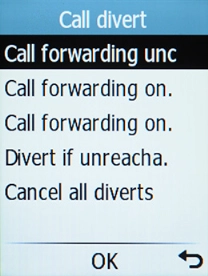
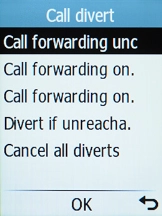
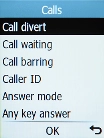
Select Call divert.

Step 5 of 10

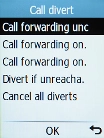
Find "Activate"

Select the required divert type.

Step 6 of 10

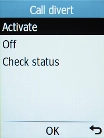
Find "Activate"

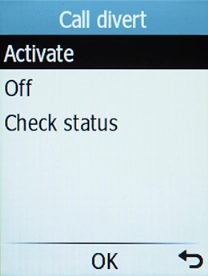
Select Activate.

Step 7 of 10

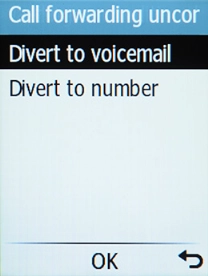
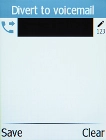
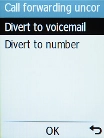
Divert calls to voicemail

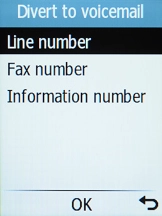
Select Divert to voicemail.

Step 8 of 10

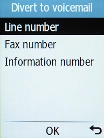
Divert calls to voicemail

Select Line number.

Step 9 of 10

Divert calls to voicemail

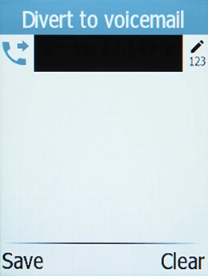
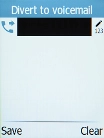
Key in +447836121121 and press the Left selection key.

Step 10 of 10

Return to the home screen

Press Disconnect to return to the home screen.

1 Find "Activate"

Press the OK key.
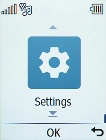
Select Settings.
Select Calls.
Select Call divert.
Select the required divert type.
Select Activate.

2 Divert calls to voicemail

Select Divert to voicemail.
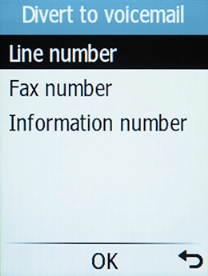
Select Line number.
Key in +447836121121 and press the Left selection key.

3 Return to the home screen

Press Disconnect to return to the home screen.

Get information on...

Or choose...

Another device