Doro Leva L30

Doro Leva L30

I can't connect to another Bluetooth device from my Doro Leva L30 Proprietary OS

Cause 1 of 6: Bluetooth is turned off on your phone

To use Bluetooth, you need to turn on Bluetooth on your phone.

Solution: Turn on Bluetooth.

Step 1 of 8

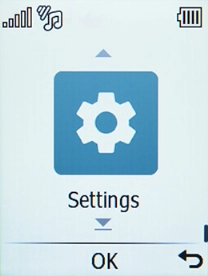
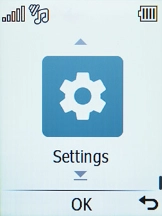
Find "Bluetooth"

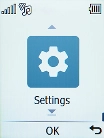
Press the OK key.
Step 2 of 8

Find "Bluetooth"

Select Settings.

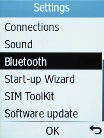
Step 3 of 8

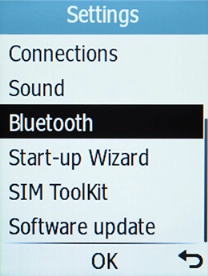
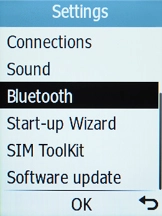
Find "Bluetooth"

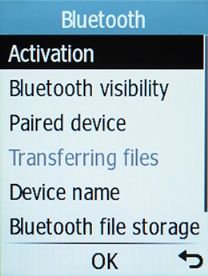
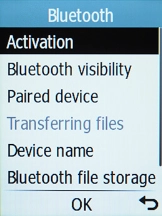
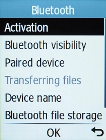
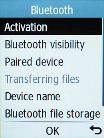
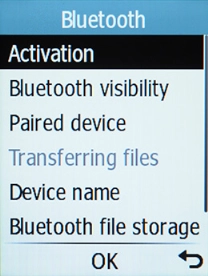
Select Bluetooth.

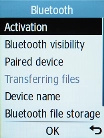
Step 4 of 8

Turn Bluetooth on or off

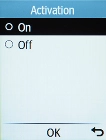
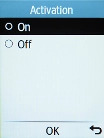
Select Activation.

Step 5 of 8

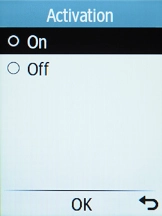
Turn Bluetooth on or off

Select the required setting to turn the function on or off.

Step 6 of 8

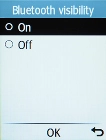
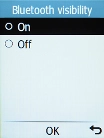
Turn Bluetooth visibility on or off

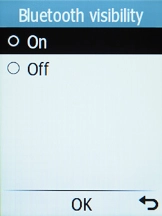
Select Bluetooth visibility.

Step 7 of 8

Turn Bluetooth visibility on or off

Select the required setting to turn Bluetooth visibility on or off.

Step 8 of 8

Return to the home screen

Press Disconnect to return to the home screen.

1 Find "Bluetooth"

Press the OK key.
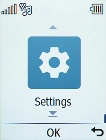
Select Settings.
Select Bluetooth.

2 Turn Bluetooth on or off

Select Activation.
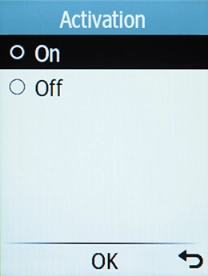
Select the required setting to turn the function on or off.
3 Turn Bluetooth visibility on or off

Select Bluetooth visibility.
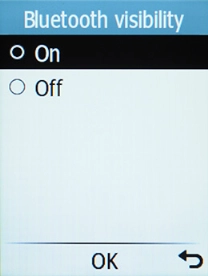
Select the required setting to turn Bluetooth visibility on or off.
If you turn on Bluetooth visibility, your phone is visible to all Bluetooth devices. If you turn off Bluetooth visibility, your phone is only visible to paired Bluetooth devices.

4 Return to the home screen

Press Disconnect to return to the home screen.

Get information on...

Or choose...

Another device