OPPO A6 Pro 5G

OPPO A6 Pro 5G

Android 16

Select settings for dual SIM functionality on your OPPO A6 Pro 5G Android 16

Read help info

In addition to your normal SIM, you can also use an eSIM in your phone. You can select which price plan you want to use for calls, messages and mobile data. To select settings for dual SIM functionality, you need to activate your eSIM.

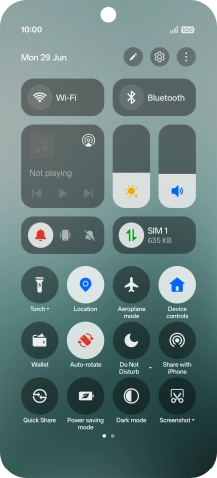
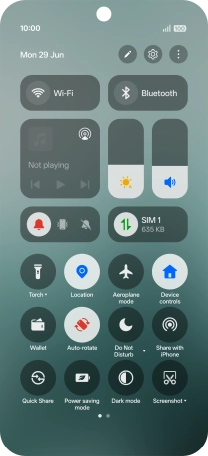
Slide your finger downwards starting from the top right side of the screen.
Step 1 of 11

1. Find "Mobile network"

Slide your finger downwards starting from the top right side of the screen.
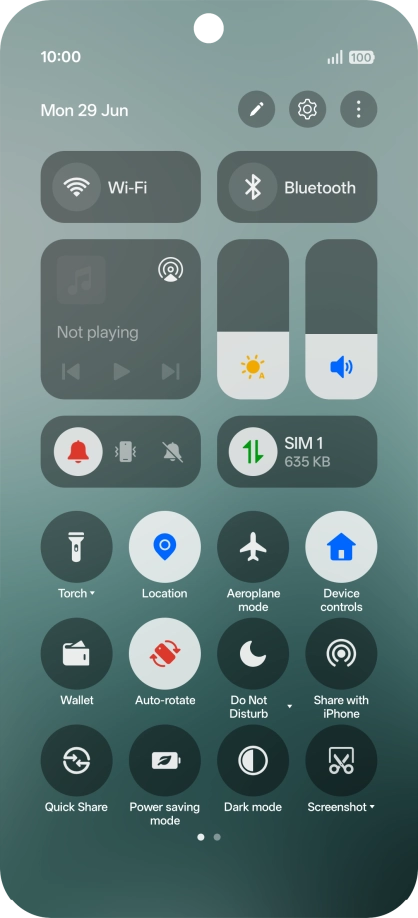
Press the settings icon.
Step 2 of 11

1. Find "Mobile network"

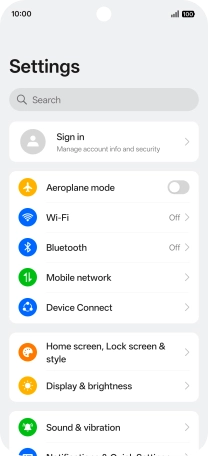
Press the settings icon.

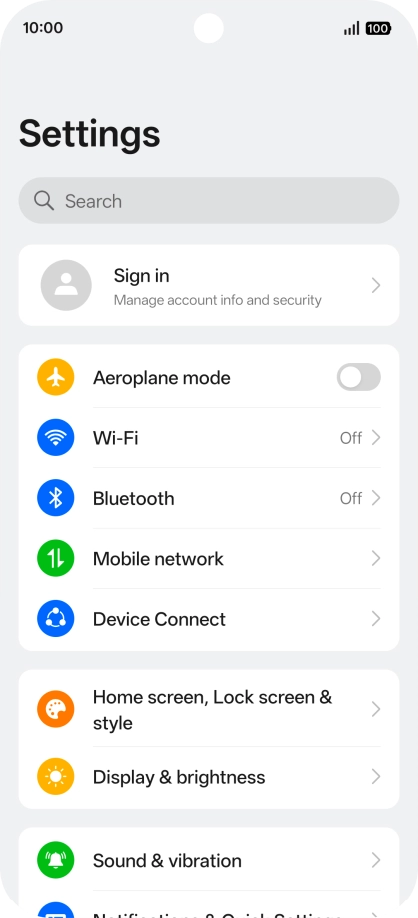
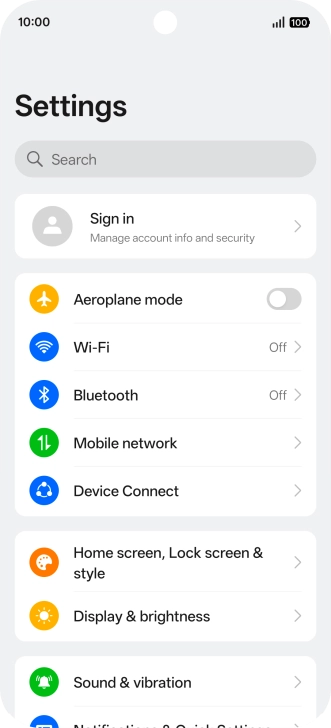
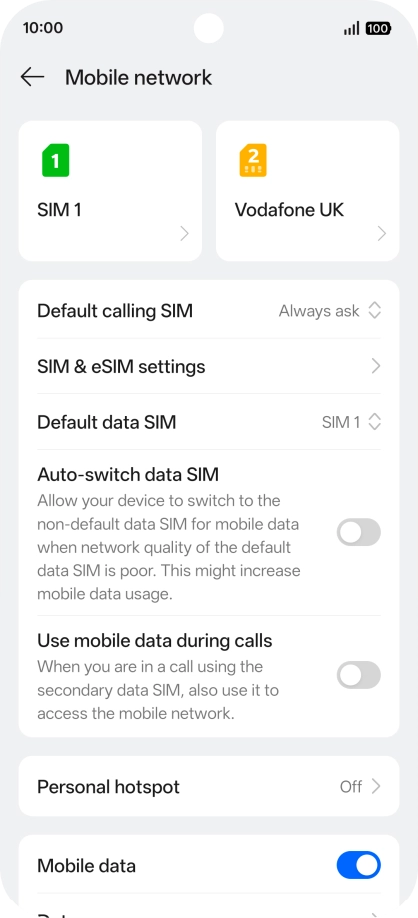
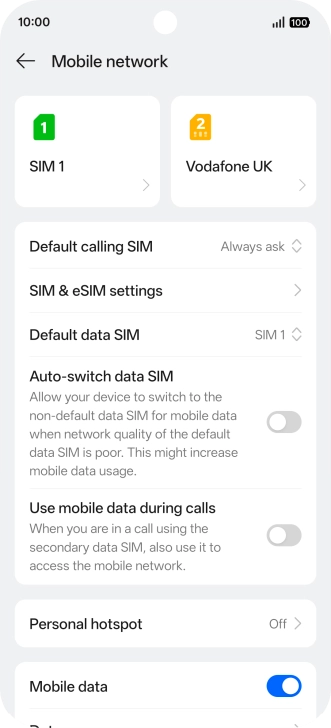
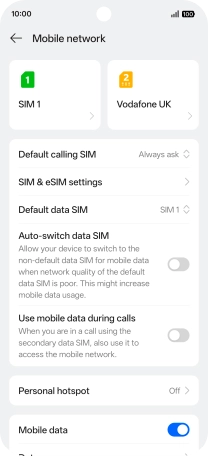
Press Mobile network.
Step 3 of 11

1. Find "Mobile network"

Press Mobile network.

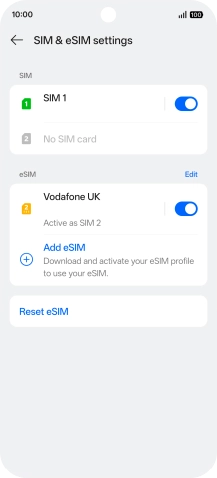
Press SIM & eSIM settings.
Step 4 of 11

2. Turn use of price plan on or off

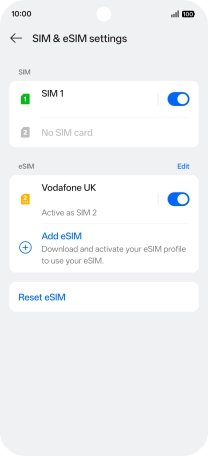
Press SIM & eSIM settings.

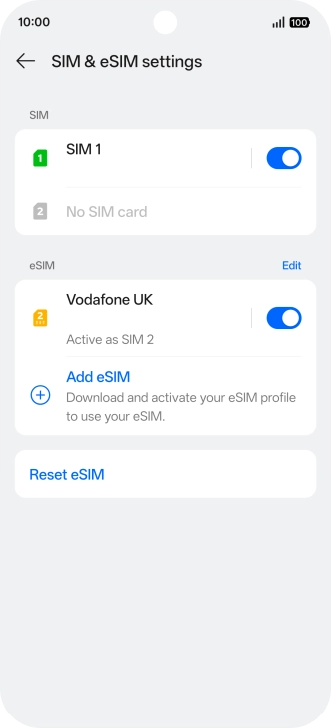
Press the indicator next to the required price plan to turn use of the price plan on or off.
Step 5 of 11

2. Turn use of price plan on or off

Press the indicator next to the required price plan to turn use of the price plan on or off.

You can temporarily turn use of a price plan on or off if needed. Please note that this is not the same as cancelling a price plan.
Press arrow left.
Step 6 of 11

2. Turn use of price plan on or off

Press arrow left.

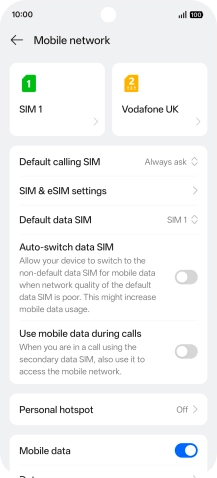
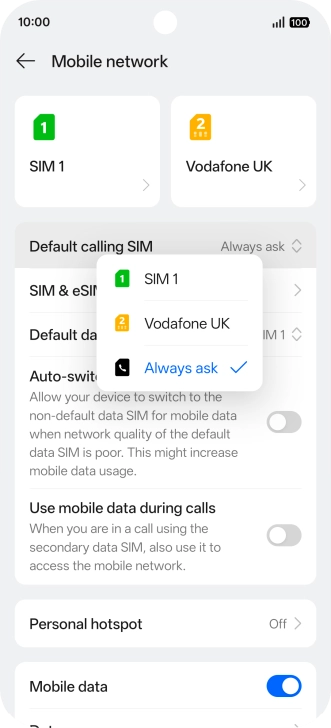
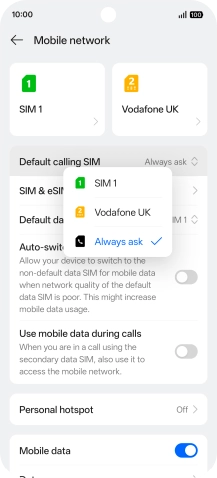
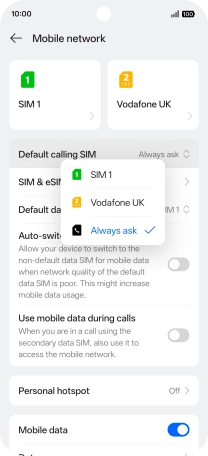
Press Default calling SIM.
Step 7 of 11

3. Select default price plan for voice calls

Press Default calling SIM.

Press the required setting.
Step 8 of 11

3. Select default price plan for voice calls

Press the required setting.

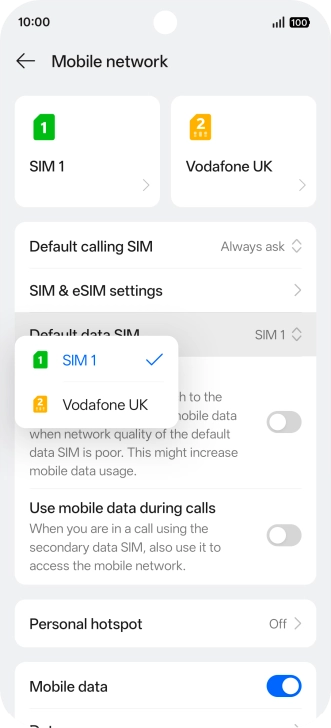
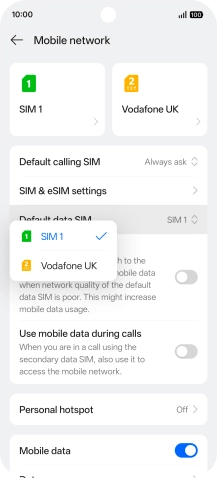
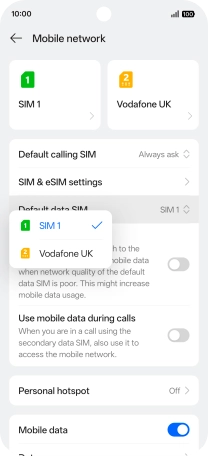
Press Default data SIM.
Step 9 of 11

4. Select default price plan for mobile data

Press Default data SIM.

Press the required price plan.
Step 10 of 11

4. Select default price plan for mobile data

Press the required price plan.

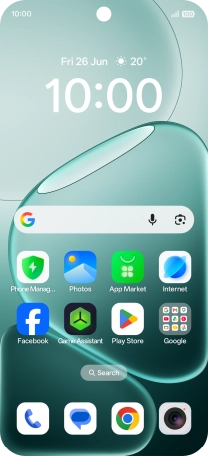
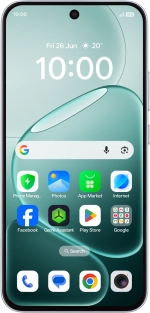
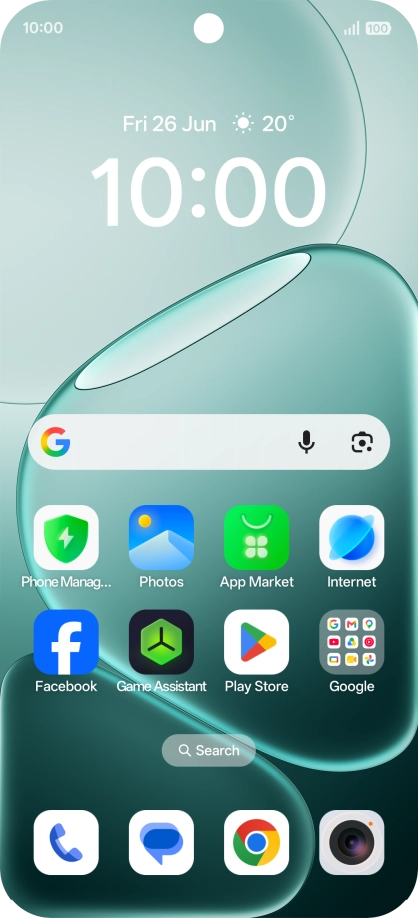
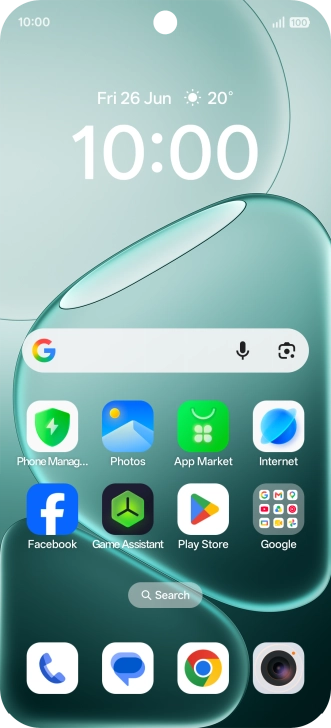
Slide your finger upwards starting from the bottom of the screen to return to the home screen.
Step 11 of 11

5. Return to the home screen

Slide your finger upwards starting from the bottom of the screen to return to the home screen.

1. Find "Mobile network"

Slide your finger downwards starting from the top right side of the screen.
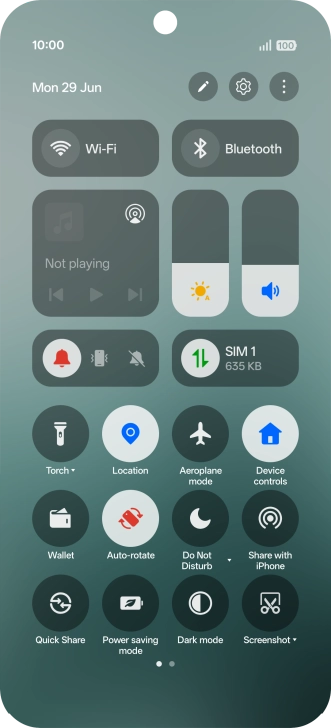
Press the settings icon.
Press Mobile network.

2. Turn use of price plan on or off

Press SIM & eSIM settings.
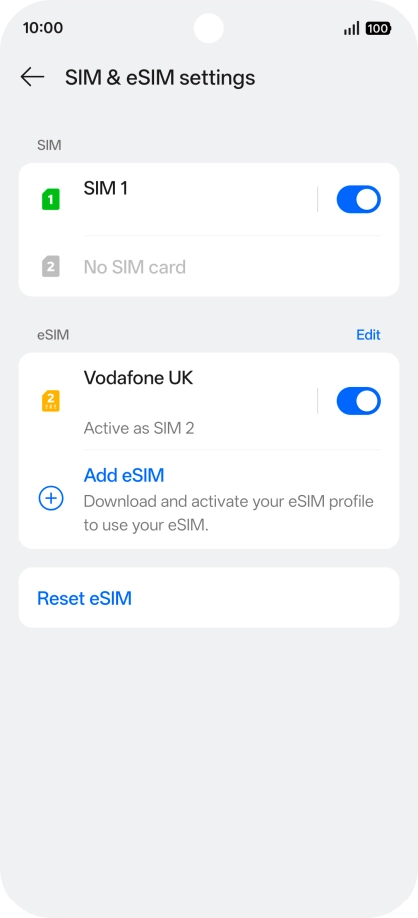
Press the indicator next to the required price plan to turn use of the price plan on or off.
You can temporarily turn use of a price plan on or off if needed. Please note that this is not the same as cancelling a price plan.
Press arrow left.

3. Select default price plan for voice calls

Press Default calling SIM.
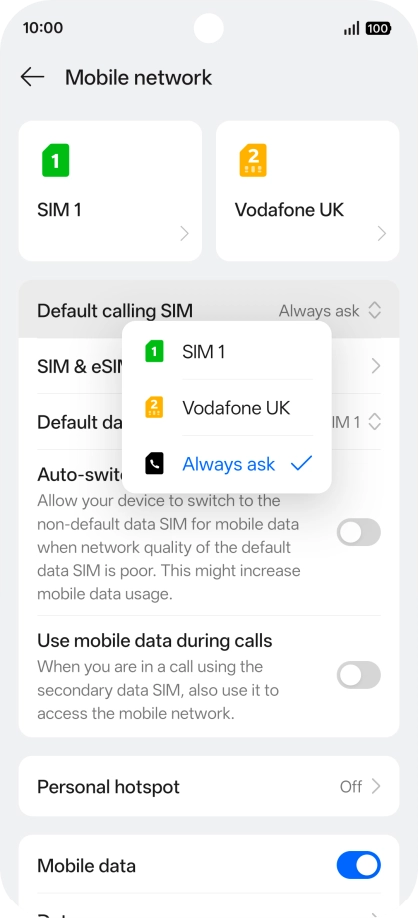
Press the required setting.

4. Select default price plan for mobile data

Press Default data SIM.
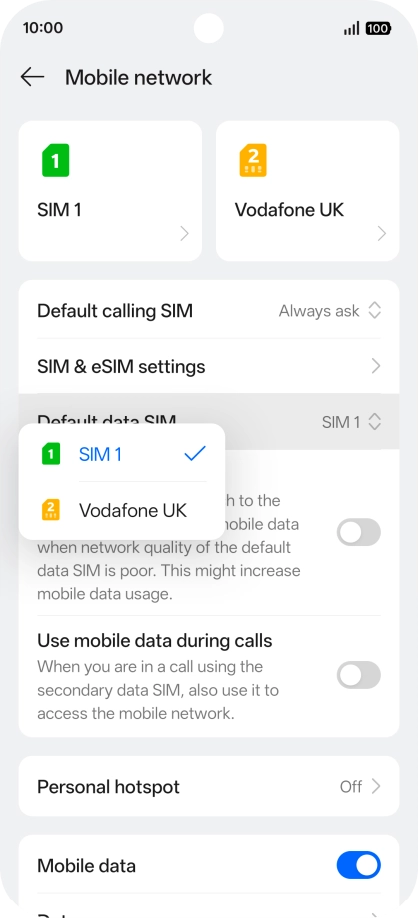
Press the required price plan.

5. Return to the home screen

Slide your finger upwards starting from the bottom of the screen to return to the home screen.

Get information on...

Or choose...

Another device