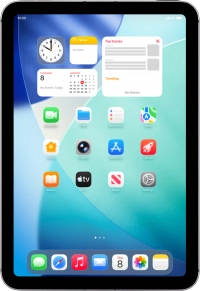
Apple iPad mini (A17 Pro)

Apple iPad mini (A17 Pro)

iPadOS 26

Activate eSIM on your Apple iPad mini (A17 Pro) iPadOS 26

Read help info

An eSIM is a digital SIM that enables you to activate a price plan without the use of a physical SIM. To activate your eSIM, you need to establish a connection to a Wi-Fi network.

Press Settings.
Step 1 of 8

1. Find "Scan QR Code"

Press Settings.

Press Mobile Data.
Step 2 of 8

1. Find "Scan QR Code"

Press Mobile Data.

Press Use QR Code.
Step 3 of 8

1. Find "Scan QR Code"

Press Use QR Code.

Press Scan QR Code.
Step 4 of 8

1. Find "Scan QR Code"

Press Scan QR Code.

Place the QR code you've received inside the tablet camera frame to scan the code. If you’ve deleted your eSIM, you can re-add it using your existing QR code. If you’re having problems, see our FAQ.
Step 5 of 8

2. Scan QR code

Place the QR code you've received inside the tablet camera frame to scan the code. If you’ve deleted your eSIM, you can re-add it using your existing QR code. If you’re having problems, see our FAQ.

Press Continue.
Step 6 of 8

3. Activate eSIM

Press Continue.

Press Done.
Step 7 of 8

3. Activate eSIM

Press Done.

Slide your finger upwards starting from the bottom of the screen to return to the home screen.
Step 8 of 8

4. Return to the home screen

Slide your finger upwards starting from the bottom of the screen to return to the home screen.

1. Find "Scan QR Code"

Press Settings.
Press Mobile Data.
Press Use QR Code.
Press Scan QR Code.

2. Scan QR code

Place the QR code you've received inside the tablet camera frame to scan the code. If you’ve deleted your eSIM, you can re-add it using your existing QR code. If you’re having problems, see our FAQ.

3. Activate eSIM

Press Continue.
Press Done.

4. Return to the home screen

Slide your finger upwards starting from the bottom of the screen to return to the home screen.

Get information on...

Or choose...

Another device