Doro Leva L30

Doro Leva L30

Adjust screen brightness on your Doro Leva L30 Proprietary OS

Read help info

You can adjust the screen brightness to your surroundings.

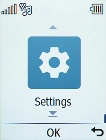
Press the OK key.
Step 1 of 7

1. Find "Brightness"

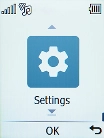
Press the OK key.
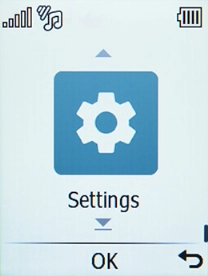
Select Settings.
Step 2 of 7

1. Find "Brightness"

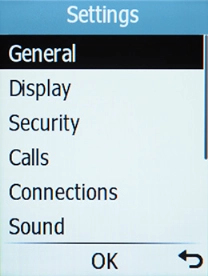
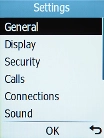
Select Settings.

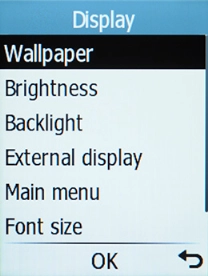
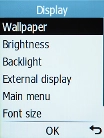
Select Display.
Step 3 of 7

1. Find "Brightness"

Select Display.

Select Brightness.
Step 4 of 7

1. Find "Brightness"

Select Brightness.

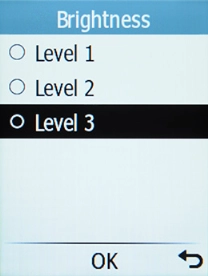
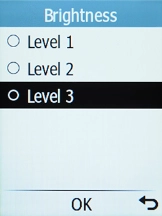
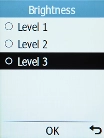
Highlight the required levels to see them.
Step 5 of 7

2. Adjust screen brightness

Highlight the required levels to see them.

Once you've found a level you like, press the OK key.
Step 6 of 7

2. Adjust screen brightness

Once you've found a level you like, press the OK key.

Press Disconnect to return to the home screen.
Step 7 of 7

3. Return to the home screen

Press Disconnect to return to the home screen.

1. Find "Brightness"

Press the OK key.
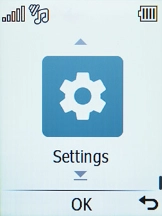
Select Settings.
Select Display.
Select Brightness.

2. Adjust screen brightness

Highlight the required levels to see them.
Once you've found a level you like, press the OK key.

3. Return to the home screen

Press Disconnect to return to the home screen.

Get information on...

Or choose...

Another device