Doro Leva L30

Doro Leva L30

Pair a Bluetooth device with your Doro Leva L30 Proprietary OS

Read help info

Bluetooth is a wireless connection which can be used to connect to other devices, such as a wireless headset or keypad.

Press the OK key.
Step 1 of 11

1. Find "Bluetooth"

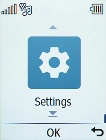
Press the OK key.
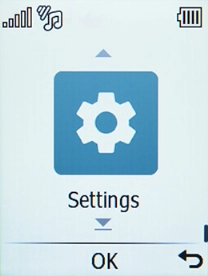
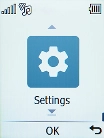
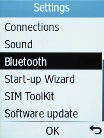
Select Settings.
Step 2 of 11

1. Find "Bluetooth"

Select Settings.

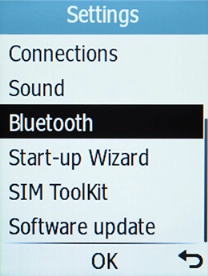
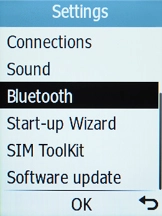
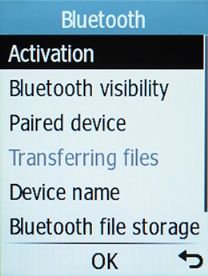
Select Bluetooth.
Step 3 of 11

1. Find "Bluetooth"

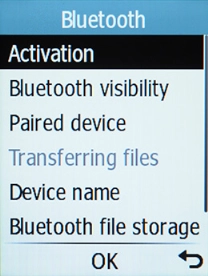
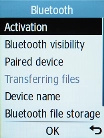
Select Bluetooth.

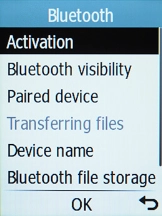
Select Activation.
Step 4 of 11

2. Turn on Bluetooth

Select Activation.

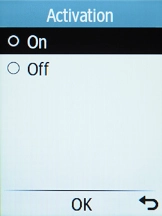
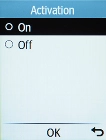
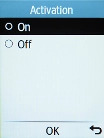
Select On to turn on the function.
Step 5 of 11

2. Turn on Bluetooth

Select On to turn on the function.

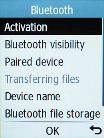
Select Bluetooth visibility.
Step 6 of 11

3. Turn Bluetooth visibility on or off

Select Bluetooth visibility.

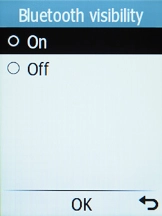
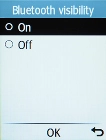
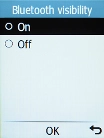
Select the required setting to turn Bluetooth visibility on or off.
Step 7 of 11

3. Turn Bluetooth visibility on or off

Select the required setting to turn Bluetooth visibility on or off.

If you turn on Bluetooth visibility, your phone is visible to all Bluetooth devices. If you turn off Bluetooth visibility, your phone is only visible to paired Bluetooth devices.
Select Paired device.
Step 8 of 11

4. Pair Bluetooth device with your phone

Select Paired device.

Select Add new device.
Step 9 of 11

4. Pair Bluetooth device with your phone

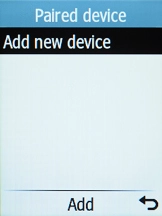
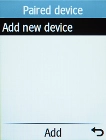
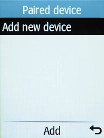
Select Add new device.

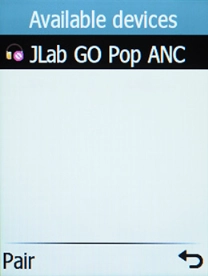
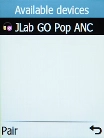
Highlight the required device, press the OK key and follow the instructions on the screen to pair the device with your phone.
Step 10 of 11

4. Pair Bluetooth device with your phone

Highlight the required device, press the OK key and follow the instructions on the screen to pair the device with your phone.

The other Bluetooth device needs to be turned on and be ready to connect via Bluetooth.
Press Disconnect to return to the home screen.
Step 11 of 11

5. Return to the home screen

Press Disconnect to return to the home screen.

1. Find "Bluetooth"

Press the OK key.
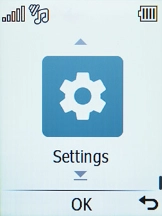
Select Settings.
Select Bluetooth.

2. Turn on Bluetooth

Select Activation.
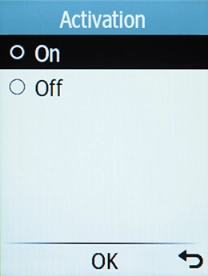
Select On to turn on the function.

3. Turn Bluetooth visibility on or off

Select Bluetooth visibility.
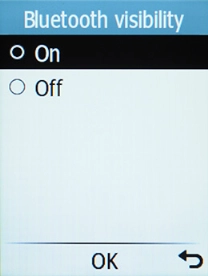
Select the required setting to turn Bluetooth visibility on or off.
If you turn on Bluetooth visibility, your phone is visible to all Bluetooth devices. If you turn off Bluetooth visibility, your phone is only visible to paired Bluetooth devices.

4. Pair Bluetooth device with your phone

Select Paired device.
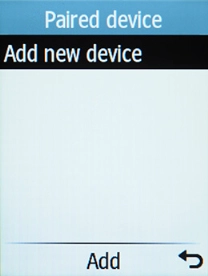
Select Add new device.
Highlight the required device, press the OK key and follow the instructions on the screen to pair the device with your phone.

The other Bluetooth device needs to be turned on and be ready to connect via Bluetooth.

5. Return to the home screen

Press Disconnect to return to the home screen.

Get information on...

Or choose...

Another device