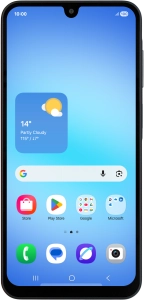
Samsung Galaxy A17 5G

Samsung Galaxy A17 5G

Android 15

Transfer content from another phone to your Samsung Galaxy A17 5G Android 15

Read help info

You can transfer content, such as contacts, messages, pictures and audio files, from another phone to your phone.

You can transfer the contents of another phone to your phone when it's activated for the first time and after a factory reset. When this screen is displayed, your phone is ready to transfer content from another phone.
Step 1 of 3

1. Transfer content from another phone

You can transfer the contents of another phone to your phone when it's activated for the first time and after a factory reset. When this screen is displayed, your phone is ready to transfer content from another phone.

Press Next.
Step 2 of 3

1. Transfer content from another phone

Press Next.

Press Next and follow the instructions on the screen to transfer content from another phone.
Step 3 of 3

1. Transfer content from another phone

Press Next and follow the instructions on the screen to transfer content from another phone.

1. Transfer content from another phone

You can transfer the contents of another phone to your phone when it's activated for the first time and after a factory reset. When this screen is displayed, your phone is ready to transfer content from another phone.
Press Next.
Press Next and follow the instructions on the screen to transfer content from another phone.

Get information on...

Or choose...

Another device