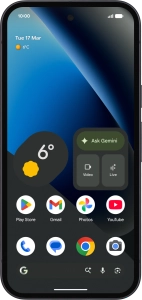
Google Pixel 10a

Google Pixel 10a

Android 16

Select dual SIM settings on your Google Pixel 10a Android 16

Read help info

When you insert two SIMs into your phone, you can make calls and send and receive messages from both SIMs. You can also select a default SIM for mobile data usage.

Slide two fingers downwards starting from the top of the screen.
Step 1 of 16

1. Find "SIMs"

Slide two fingers downwards starting from the top of the screen.

Press the settings icon.
Step 2 of 16

1. Find "SIMs"

Press the settings icon.

Press Network and Internet.
Step 3 of 16

1. Find "SIMs"

Press Network and Internet.

Press SIMs.
Step 4 of 16

1. Find "SIMs"

Press SIMs.

Press the required price plan.
Step 5 of 16

2. Turn use of SIM on or off

Press the required price plan.

Press the indicator next to
Step 6 of 16

2. Turn use of SIM on or off

Press the indicator next to "Use this SIM" to turn use of the SIM on or off.

If you turn on use of the SIM, press Get started.
Step 7 of 16

2. Turn use of SIM on or off

If you turn on use of the SIM, press Get started.

If you turn off use of the SIM, press Turn off.
Step 8 of 16

2. Turn use of SIM on or off

If you turn off use of the SIM, press Turn off.

Press arrow left.
Step 9 of 16

2. Turn use of SIM on or off

Press arrow left.

Press Calls.
Step 10 of 16

3. Select default SIM for voice calls

Press Calls.

Press the required setting.
Step 11 of 16

3. Select default SIM for voice calls

Press the required setting.

Press Texts.
Step 12 of 16

4. Select default SIM for text messaging

Press Texts.

Press the required SIM.
Step 13 of 16

4. Select default SIM for text messaging

Press the required SIM.

Press Mobile data.
Step 14 of 16

5. Select default SIM for mobile data

Press Mobile data.

Press the required price plan.
Step 15 of 16

5. Select default SIM for mobile data

Press the required price plan.

Slide your finger upwards starting from the bottom of the screen to return to the home screen.
Step 16 of 16

6. Return to the home screen

Slide your finger upwards starting from the bottom of the screen to return to the home screen.

1. Find "SIMs"

Slide two fingers downwards starting from the top of the screen.
Press the settings icon.
Press Network and Internet.
Press SIMs.

2. Turn use of SIM on or off

Press the required price plan.
Press the indicator next to "Use this SIM" to turn use of the SIM on or off.
If you turn on use of the SIM, press Get started.
If you turn off use of the SIM, press Turn off.
Press arrow left.

3. Select default SIM for voice calls

Press Calls.
Press the required setting.

4. Select default SIM for text messaging

Press Texts.
Press the required SIM.

5. Select default SIM for mobile data

Press Mobile data.
Press the required price plan.

6. Return to the home screen

Slide your finger upwards starting from the bottom of the screen to return to the home screen.

Get information on...

Or choose...

Another device